Log in Get Early Access

Your passwords, encrypted before they leave your fingertips.

VaultMaster is a local-first vault that encrypts everything on your device — and adapts how it protects you based on where you are, what device you're using, and what you're trying to access.

AES-256-GCM Zero server storage Works offline
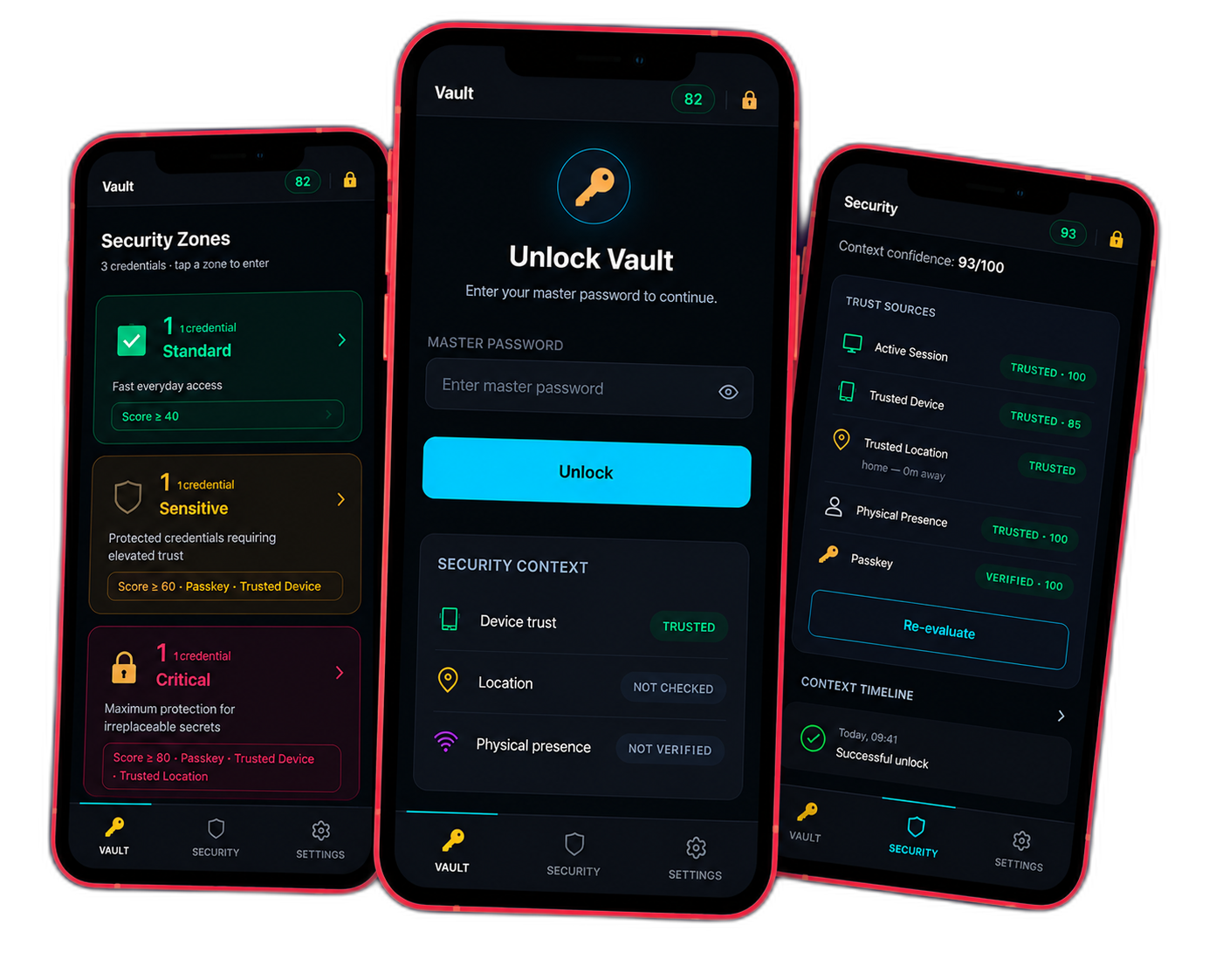
VaultMaster dashboard, security zones, and a critical-entry approval screen shown across three devices
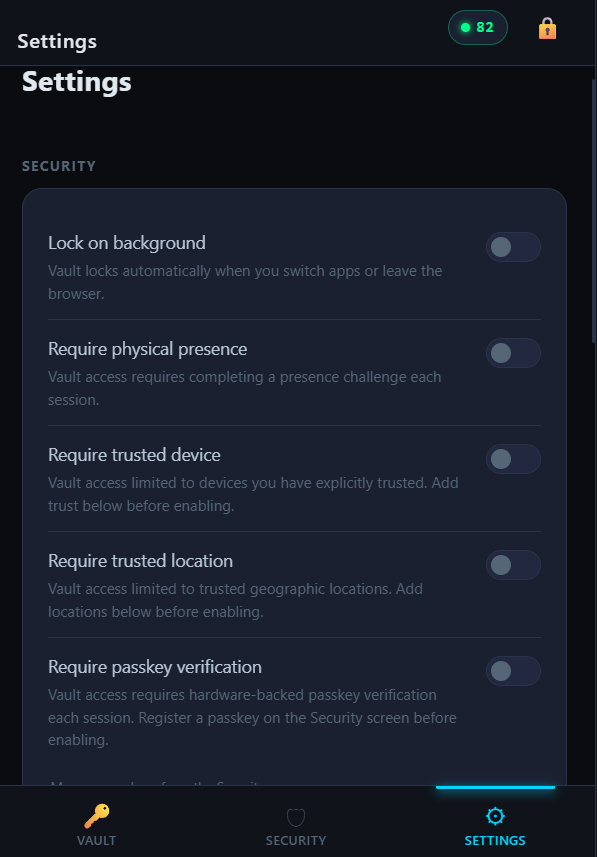
First run

What you see the first time you open it.

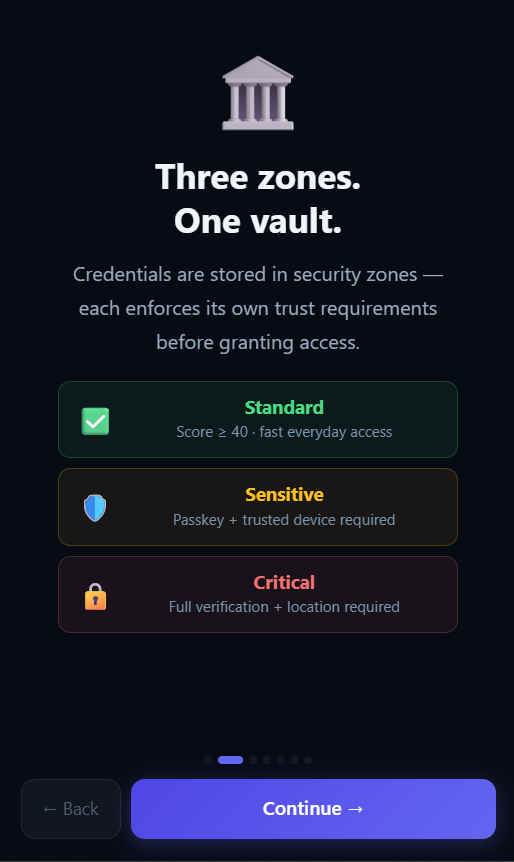
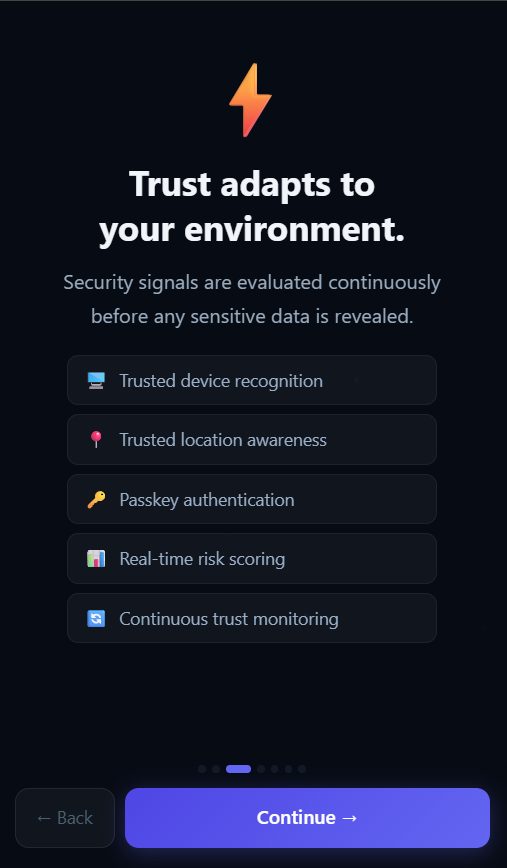
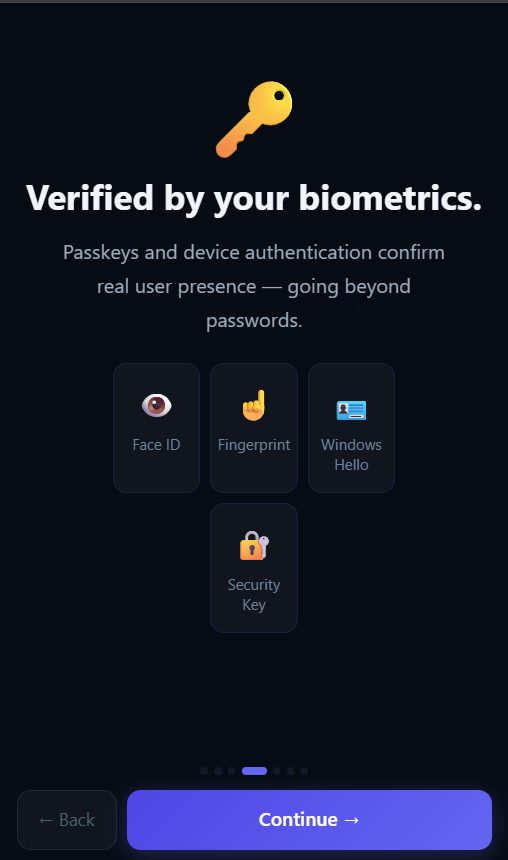
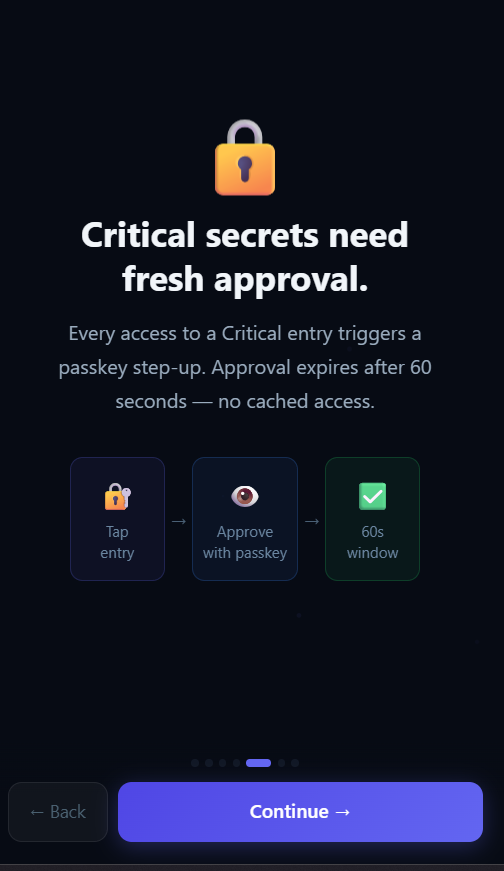
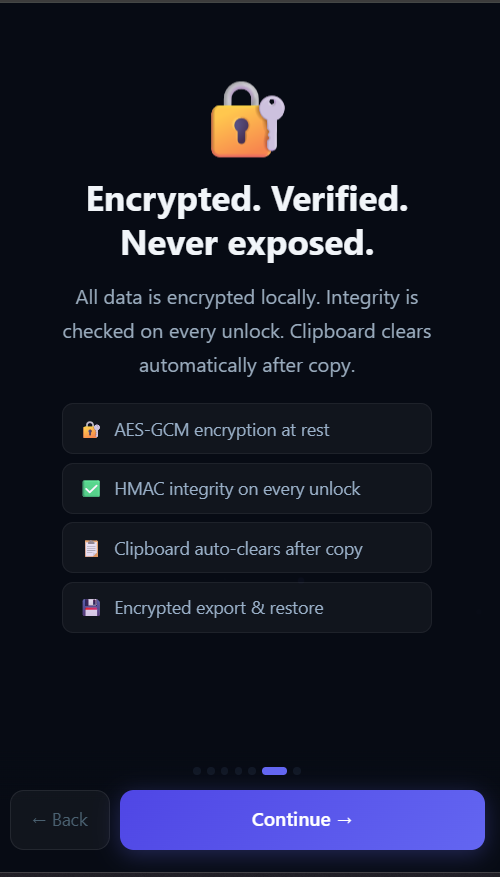
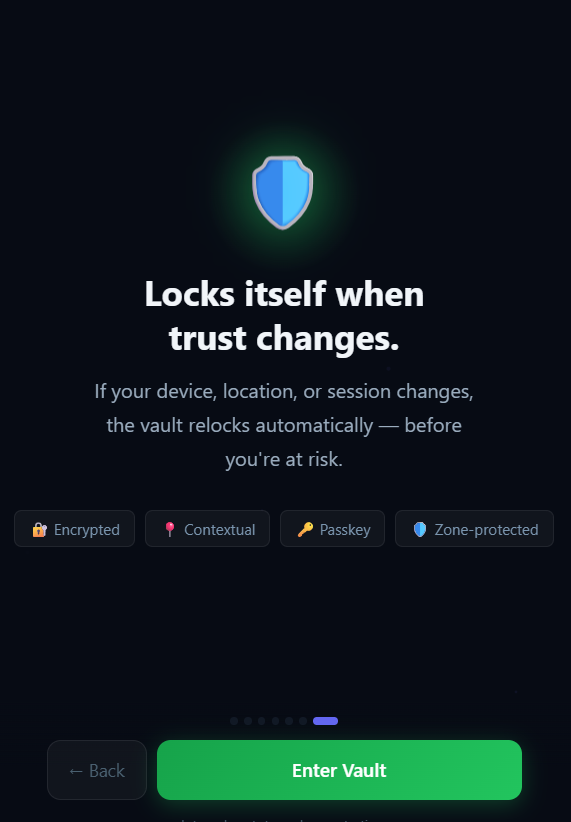
The onboarding flow, screen by screen — real captures, unedited.

Every password manager asks you to trust a company you've never met.

Your vault sits on their servers. Their breach is your breach. Their outage is your lockout. Their business model, eventually, might involve your data.

Cloud-stored vaults are a single point of failure — for you and for millions of other people at once.

One weak master password is often the only thing standing between an attacker and everything you own.

Most security software treats every login the same, whether you're at your kitchen table or on public Wi-Fi in another country.

A vault that answers to no server but yours.

VaultMaster encrypts everything locally, on your device, before it's ever written to storage. There is no cloud copy to breach, because there is no cloud copy.

Local encryption means your vault never exists anywhere but your own device, encrypted, from the first save.

Adaptive access control means a weak or stolen password alone isn't enough to open your vault in an unfamiliar context.

Context-aware protection adjusts what's required to unlock sensitive entries based on your device, location, and behavior — automatically.

Explore Adaptive Security →

From typing your master password to opening a single entry, every step is deliberate.

01

Unlock

Enter your master password. It's transformed through PBKDF2 with 200,000 iterations — never stored, never transmitted, never recoverable by anyone but you.

02

Verify

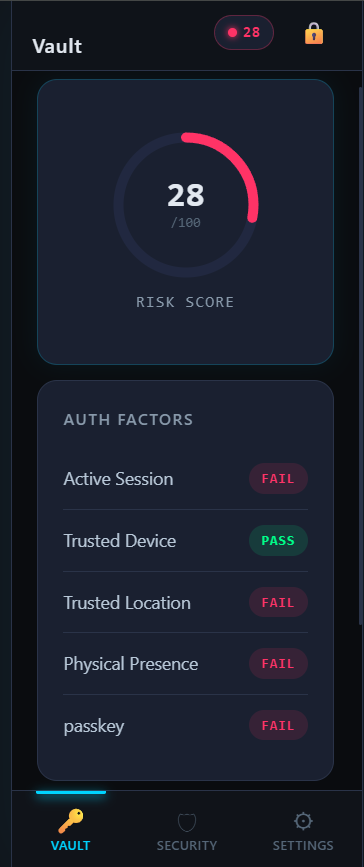
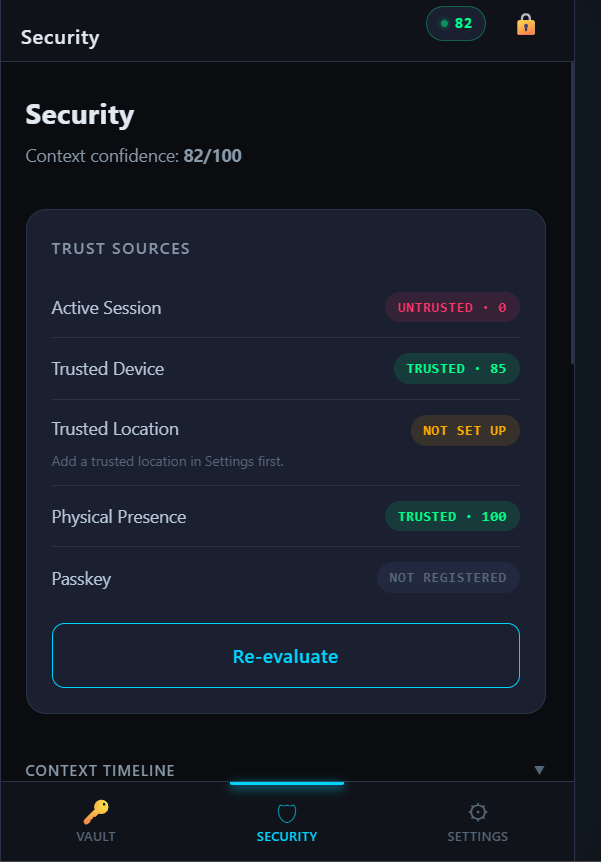
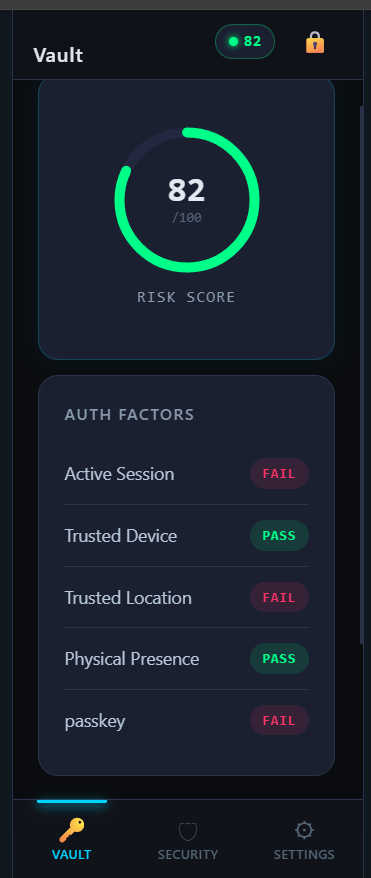
Your device, your location, and — if you've enabled it — your passkey are checked together to build a live trust score, not a single yes/no gate.

03

Access

Standard entries open immediately. Entries you've marked Sensitive or Critical ask for stronger proof — automatically, based on the zone you assigned them to.

04

Protect

Revealed passwords hide themselves again after a short window. Anything copied to your clipboard clears itself. Nothing lingers longer than it needs to.

Not every password deserves the same door.

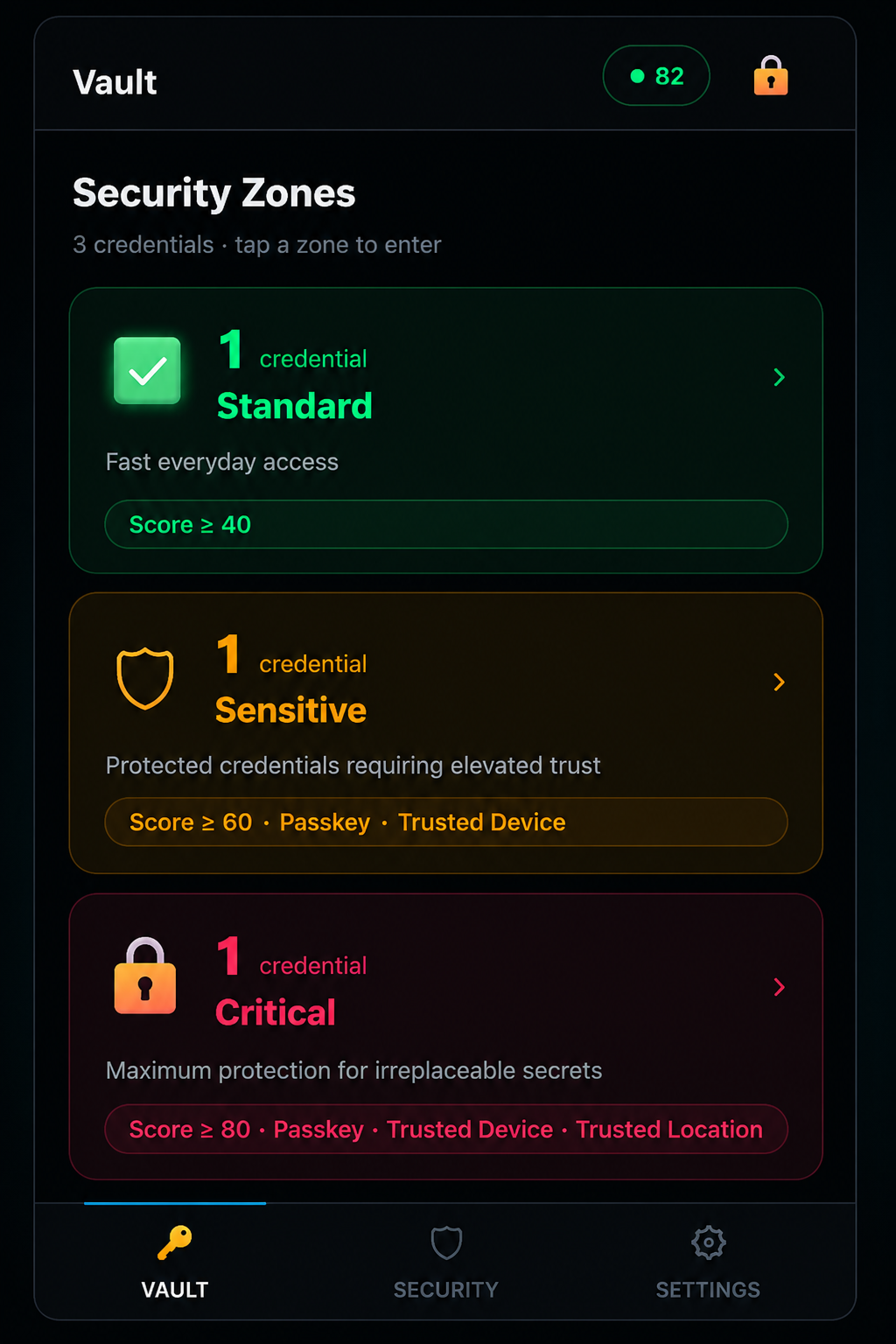
VaultMaster assigns every entry a security zone — Standard, Sensitive, or Critical — and enforces different requirements for each, automatically, based on real signals: your device, your location, and continuous trust rather than a single login moment.

Standard

Everyday logins. Protected by encryption and your master password, revealed for 30 seconds when you need them.

Score ≥ 40 — no additional step-up required.

Sensitive

Financial accounts, work systems. Requires a trusted device and, if enabled, a recent passkey verification — revealed for 20 seconds.

Score ≥ 60 · Passkey · Trusted Device

Critical

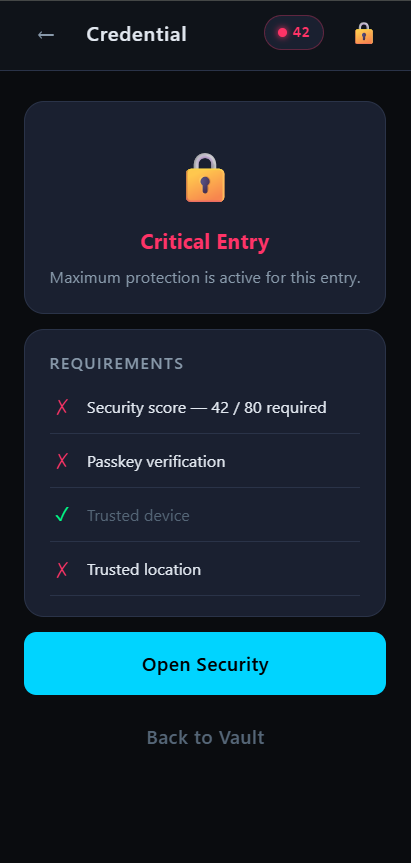
Your most consequential accounts. Requires device trust, location trust, and a fresh hardware-backed approval before anything is shown — revealed for just 10 seconds.

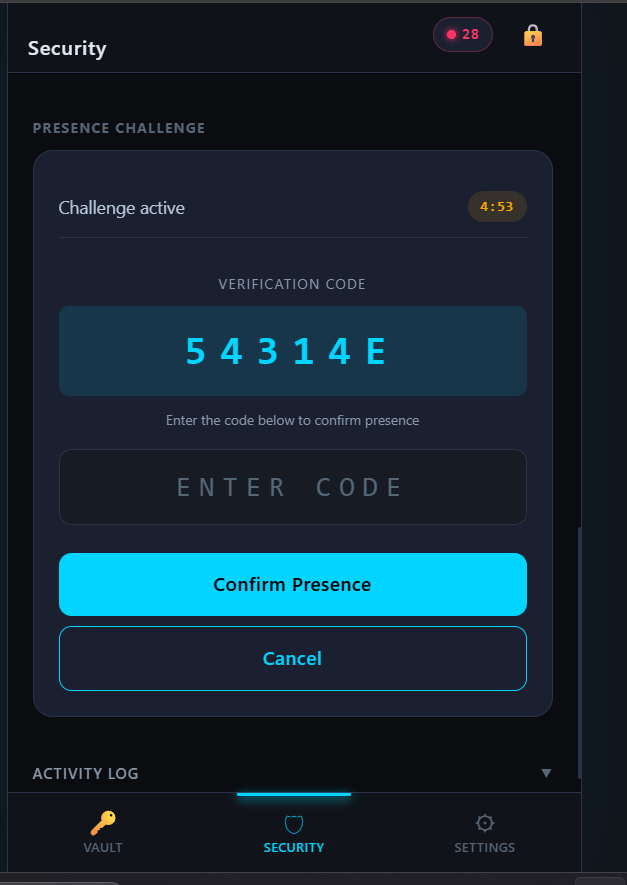
Passkey must be verified within the last 5 minutes.

This isn't a setting you configure once and forget. Trust is continuously reassessed — a passkey verification expires after 20 minutes, your location is re-checked periodically, and if anything changes mid-session, access adjusts immediately, not at your next login.

Everything a modern vault should do. Nothing it shouldn't.

No bloat, no upsells buried in menus, no features that exist to justify a higher pricing tier.

Local-first encryption

AES-256-GCM encryption happens on your device. Nothing is ever sent to a server in plaintext — because nothing is ever sent to a server at all.

Adaptive security zones

Assign every entry Standard, Sensitive, or Critical protection, and let context — not a single password — decide what's required to open it.

Passkey step-up approval

Critical entries can require a fresh hardware-backed passkey verification before revealing anything, with a short approval window that expires automatically.

Continuous trust monitoring

Your session's trust score updates in the background — if something changes mid-session, protection adjusts immediately.

Self-clearing reveals

Revealed passwords hide themselves automatically. Anything copied to your clipboard clears itself shortly after.

Integrity verification

Every write to your vault is signed with a cryptographic checksum, so tampering — accidental or otherwise — is detected, not silently accepted.

Encrypted import & export

Move your vault between devices with a fully encrypted, password-protected file format — never a plaintext CSV.

Installable, offline-first PWA

Install it like a native app on any device. Your vault works with no connection at all, because it was never depending on one.

This is the real thing.

No concept art. No Figma prototypes dressed up as a product. What you see is what's already running.
Read the actual mechanism. We're not asking you to take our word for it.

Every claim below maps to a real, inspectable step in how your vault is built and unlocked.

Master Password
PBKDF2-HMAC-SHA-256200,000 iterations
Vault Key
AES-256-GCMper entry
Integrity HMACwhole-vault checksum
Adaptive access signals
Device
Location
Passkey
Trust Score
Access Decision

Key derivation

Your master password is never stored. It's run through PBKDF2-HMAC-SHA-256 with 200,000 iterations to derive your vault's working keys — a deliberately slow process that makes brute-force guessing computationally expensive, by design.

Encryption

Every entry is encrypted individually with AES-256-GCM, an authenticated encryption mode that detects tampering as well as it hides content — a modified ciphertext fails to decrypt rather than silently returning corrupted data.

Integrity

A cryptographic checksum (HMAC-SHA-256) covers your entire encrypted vault. If a single byte is altered outside of a legitimate write, the next unlock detects it and tells you — rather than opening a silently corrupted vault.

Adaptive access

Unlocking isn't a single yes/no check. A live trust score combines signals — device recognition, location consistency, and optional hardware passkey verification — and higher-value entries require a higher score, continuously, not just at login.

No network dependency

None of the above requires a server. Your vault is a local, encrypted file. There is no account database to breach, because there is no account database.

How this compares to a typical cloud password manager.

Not better at everything. Different where it matters most.

VaultMasterTypical cloud password manager
Where your vault lives On your device onlyOn the provider's servers
What a server breach exposesNothing — there is no server-held vaultYour entire encrypted vault, at minimum
Access modelContinuous, adaptive, zone-basedUsually a single login gate
Works fully offlineYesOften limited or unavailable
Cross-device syncManual, encrypted export/importAutomatic, provider-managed
Where your vault lives
VaultMasterOn your device only
Typical cloudOn the provider's servers
What a server breach exposes
VaultMasterNothing — no server-held vault
Typical cloudYour entire encrypted vault, at minimum
Access model
VaultMasterContinuous, adaptive, zone-based
Typical cloudUsually a single login gate
Works fully offline
VaultMasterYes
Typical cloudOften limited or unavailable
Cross-device sync
VaultMasterManual, encrypted export/import
Typical cloudAutomatic, provider-managed

What this actually changes.

You stop being one data breach away from losing everything — because there's nothing centralized to breach.

You stop guessing whether a login attempt is really you — the app already knows, based on real signals, not a single password.

You stop worrying about a forgotten laptop or phone exposing your accounts — sensitive entries ask for more than a password before they show anything.

You stop paying a monthly fee to store data that was always yours to begin with, on hardware you already own.

What early users are saying.

VaultMaster is in beta. Real feedback from beta testers will appear here once it's gathered — this section intentionally stays empty until then rather than shipping invented quotes.

Questions people actually ask.

You export an encrypted, password-protected vault file from your current device and import it on the new one. Nothing is ever transmitted in plaintext, and nothing passes through a third-party server.

Because your vault is encrypted with a key only your master password can derive, there is no "reset" link — the same design that keeps everyone else out keeps a forgotten password from being recoverable by us either. We're direct about this because the alternative — a company that can reset your master password — means a company that can access your vault.

Licensing hasn't been finalized yet. Rather than guess, we'll publish a clear, final answer here before launch.

Not yet — VaultMaster is coming soon. It's being built as a Progressive Web App, so it will work on iPhone, Android, and desktop browsers. Join Early Access and we'll notify you as soon as installation becomes available.

They're security zones you assign per entry. Standard entries need just your master password. Sensitive and Critical entries add device, location, and passkey requirements — see the Adaptive Security section above for the full breakdown.

There's nothing to use — your vault never leaves your device, encrypted or otherwise. We don't have a copy to analyze, sell, or lose.

Your vault remains encrypted on that device — an attacker with the physical device still needs your master password, and Critical entries additionally require the passkey and location context that were tied to your original device.

Early Access is free. Pricing for future plans hasn't been decided yet, and it will be announced before any paid version exists — no surprise charges.

What's next.

Built in the open, in stages — each one focused on proving the last one was safe before building on top of it.

Shipped

Local encrypted vault, adaptive security zones, passkey step-up approval, continuous trust monitoring, integrity verification, encrypted import/export.

In progress

A rearchitected key system, moving from a single derived vault key to a per-vault random encryption key independently secured by your password — improving how recovery and biometric unlock can work in the future without weakening today's protection.

Planned

Native biometric unlock, optional recovery key generation, refined onboarding for first-time setup.

Exploring

Optional, fully encrypted, opt-in sync between your own devices — without ever introducing a central plaintext-capable server.

VaultMaster Early Access

VaultMaster is coming soon.
Be first to know when access opens.

VaultMaster is still in active development and is not yet available to install.

Join the free early-access list and we'll notify you when the first public version is ready, along with important launch updates.

No payment. No spam. Unsubscribe at any time.

or

VaultMaster isn't installable yet — join the list above and we'll let you know the moment it is.